I needed a budget and I wanted to see where I spent my money. I’m a visual person and I REALLY didn’t want to give anyone my spending data. As a rule I don’t share anything I don’t have to. Plus I have access to a multi-billion dollar AI. Might as well use it for more than memes. (Not to disparage using it for memes. I fully support that as well.)
Every bank on earth will hand you a CSV. So I built a thing that just eats the CSVs.
It’s called WhoAteMyPaycheck. Site: whoatemypaycheck.com. Code: github.com/cyrus-is/WhoAteMyPaycheck.
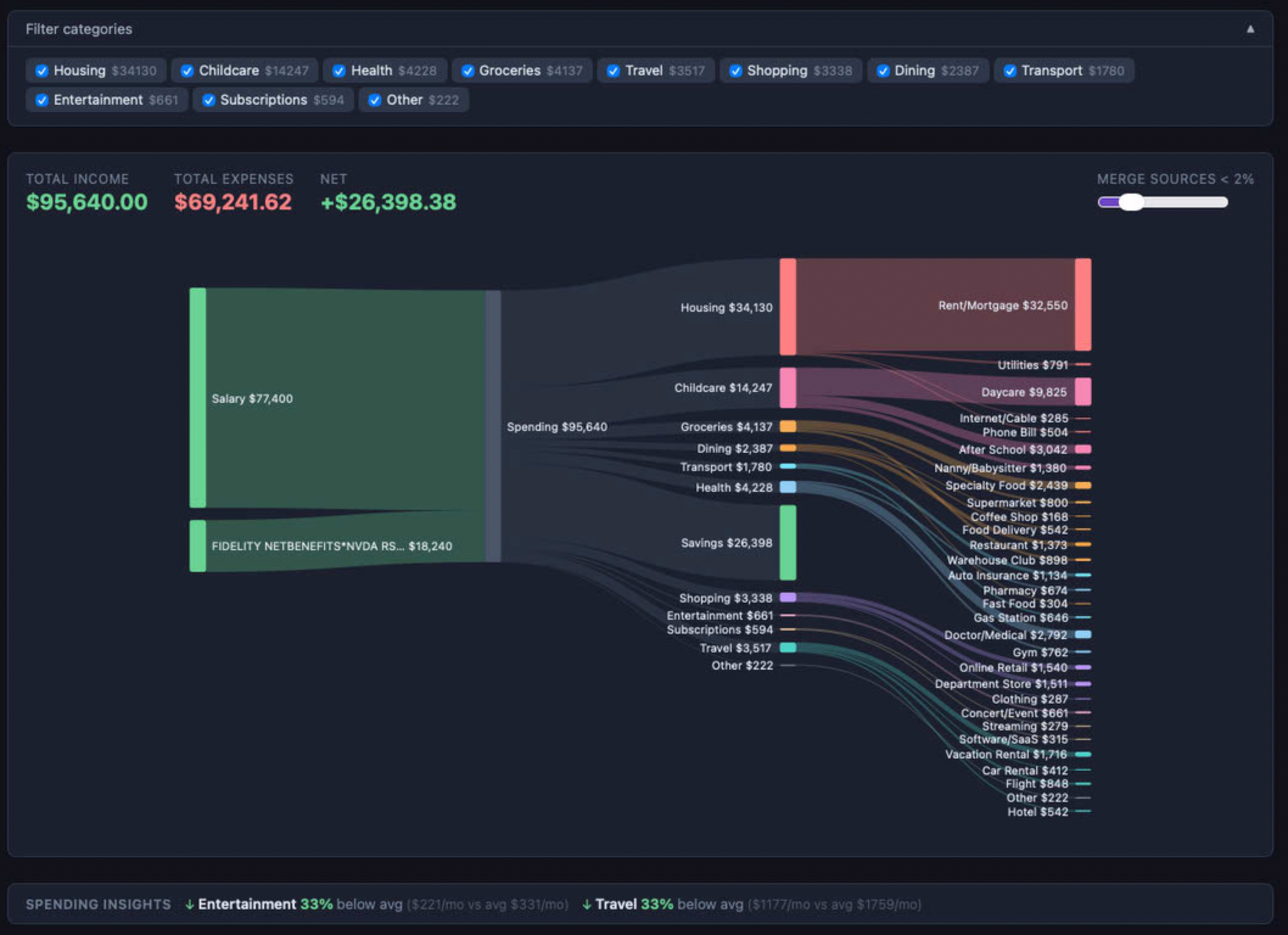
You drag in CSVs from whatever banks and credit cards you have. It parses them locally, an AI categorizes the transactions, and you get an interactive Sankey showing where the money actually went. Income on the left, spending on the right, widths proportional to dollars. Hover a category, it shows the top vendors in that bucket. It looks like what you always wanted the output of a Mint dashboard to be, except Mint could never do this, because Mint was busy being a product for advertisers.
The privacy model is the whole product
Nothing hits a server that I control. There is no server that I control. The site is a static bundle sitting on a CDN. Your CSVs never leave your browser. The parsed transactions never leave your browser. The categorization cache lives in sessionStorage — close the tab and it’s gone.
There’s exactly one outbound call, and it goes straight from your browser to Claude’s API to categorize transactions. What gets sent looks like this:
{ "id": "tx-42", "description": "WHOLEFDS MKT #10", "amount": 47.82, "type": "debit" }Merchant name, amount, debit-or-credit. That’s it. No dates. No account numbers. No balances. No names. No running totals. I started out not sending the amount, but categorization quality jumped noticeably once I included it — a $6 charge at a convenience store is lunch, a $300 charge at the same store is probably stocking a party — and since the vendor was already going over the wire, adding a number next to it didn’t meaningfully change the trust story. The CSP headers enforce the destination — the page is literally not allowed to talk to any origin besides Anthropic’s API.
You bring your own API key (from console.anthropic.com; a year of transactions costs a few cents on Claude Sonnet). No account, no login, no cookies, no analytics, no telemetry. The code is on GitHub — you can read exactly what it does and exactly what it doesn’t.
What you get
Drag and drop one file or ten. It auto-detects the format — Chase, BofA, Amex, Monzo, random credit unions — most banks just work. It catches transfers between your own accounts and drops them from the totals, otherwise every dollar you move from checking to savings shows up as income and you end up thinking you make twice what you make.
There are three lenses:
Spending is the default Sankey above.
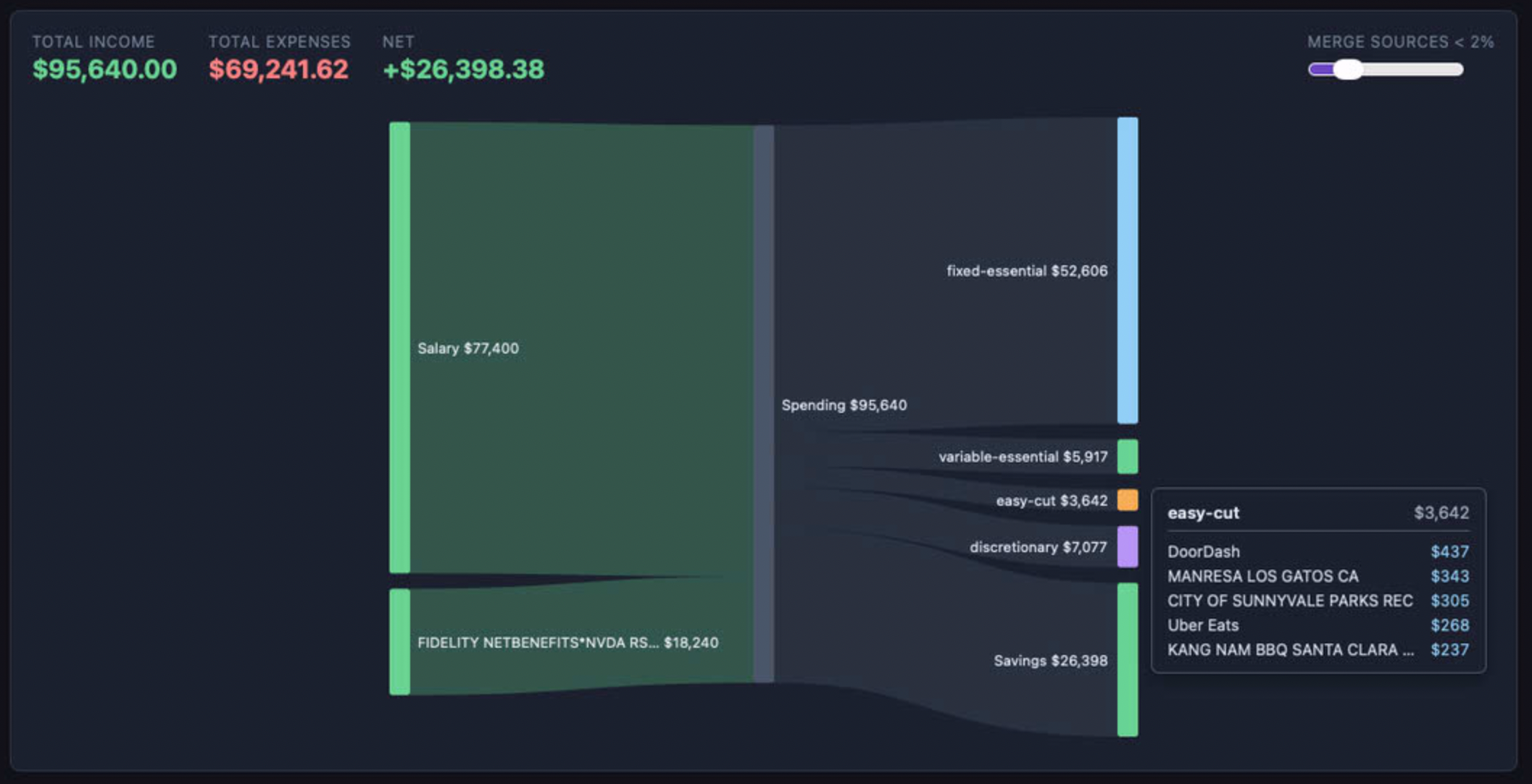
Essentials rebuckets the same data into fixed, variable, and discretionary. This is the view you actually want when you’re trying to figure out what you can cut.
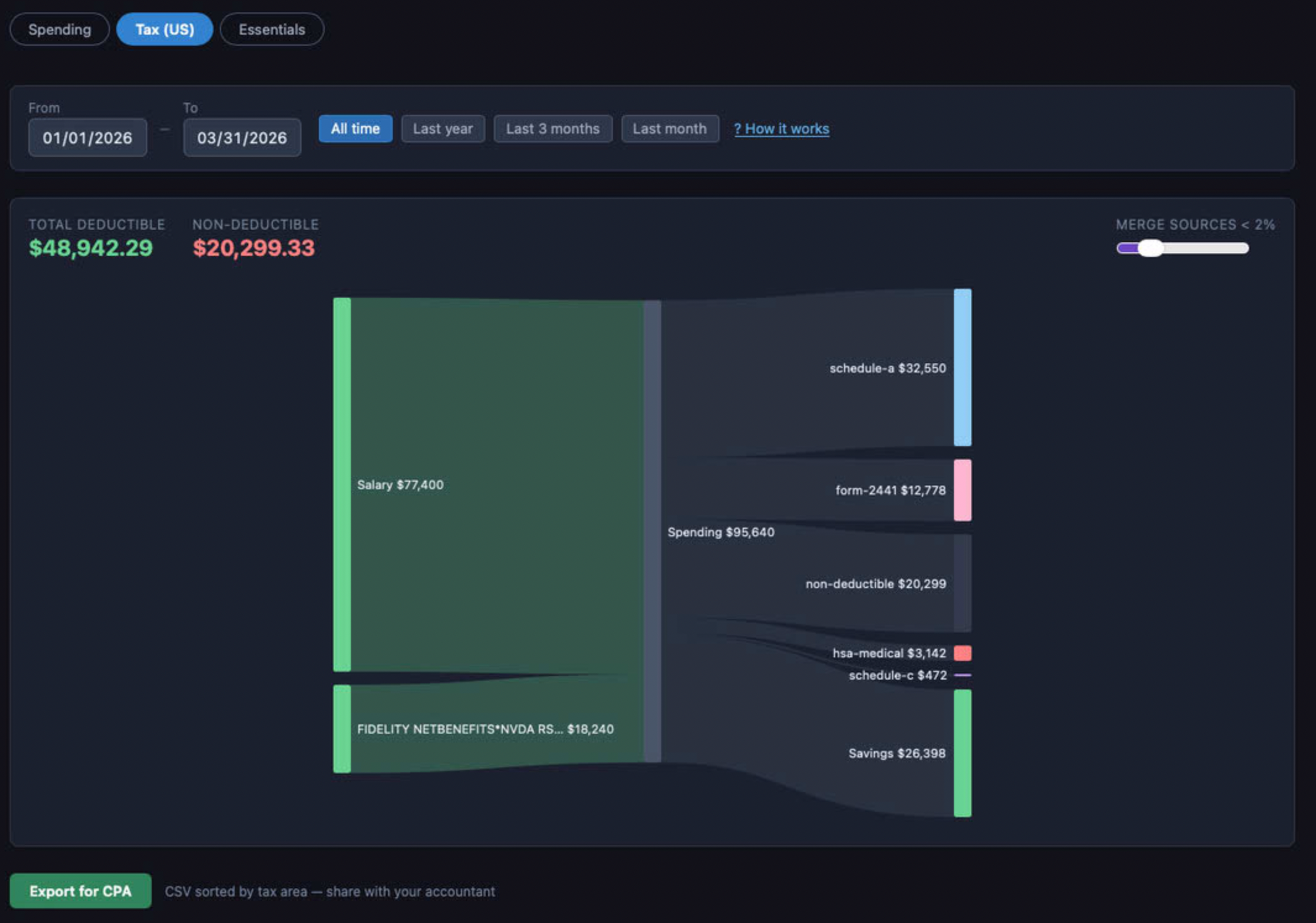
Tax classifies transactions by IRS schedule (A, C, HSA, etc.) and flags ambiguous ones. There’s a “Export for CPA” button that hands you a CSV sorted by schedule, which you can hand to your accountant without any further ceremony.
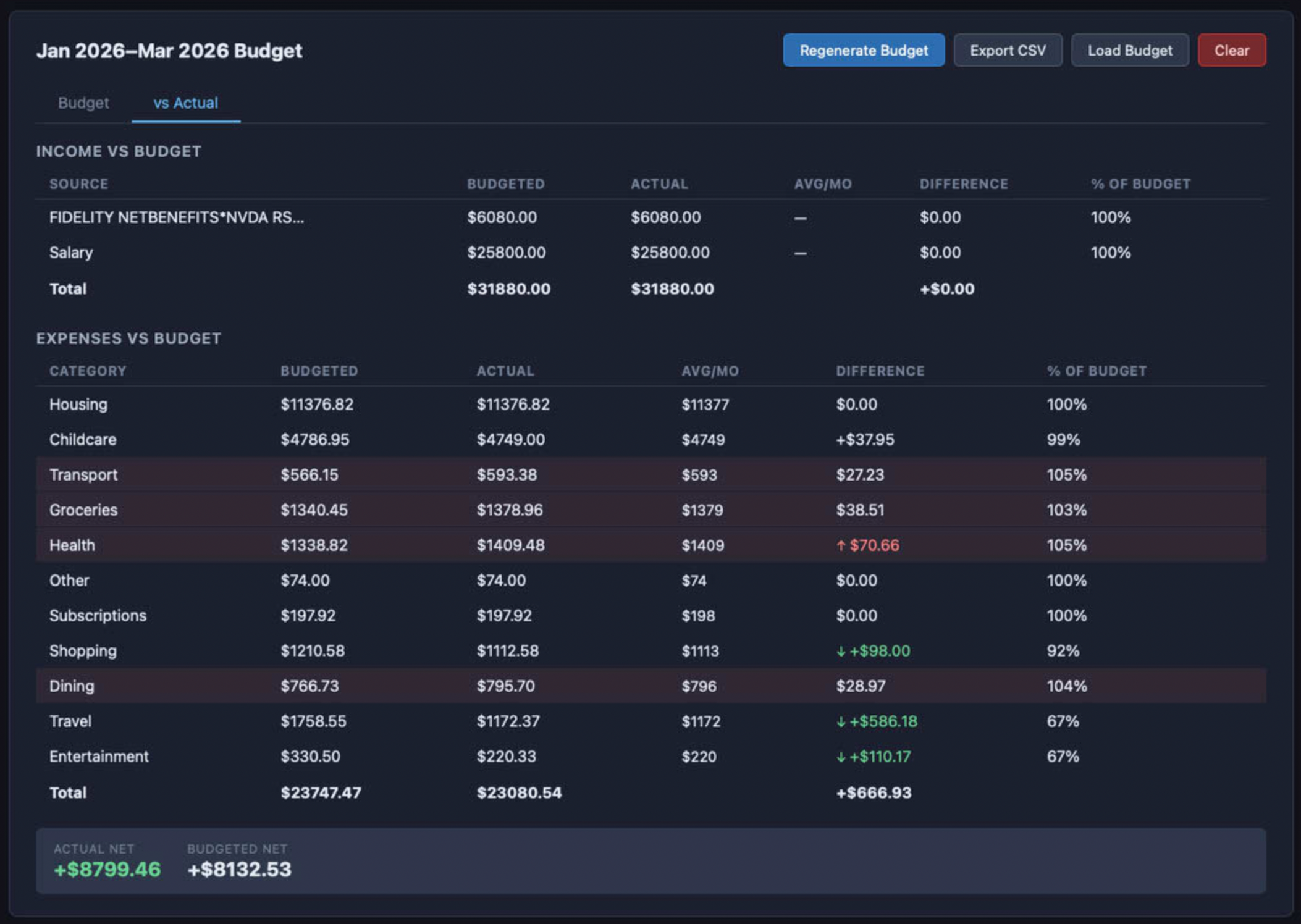
Budget mode generates a starting budget from your actual spend. Then it overlays the budget on the Sankey as dashed ghost rectangles, so you can see where you’re over at a glance. The comparison table below is color-coded by variance.
There’s also anomaly detection (flags categories where the current period deviates >15% from history), recurring expense detection so a $15/mo subscription doesn’t get buried as “Other,” 270+ merchant normalization rules so the AI doesn’t have to guess at the common stuff, and CC autopay detection. You can override any categorization and the app remembers.
Running it
Three options:
- Use whoatemypaycheck.com — zero setup.
- Clone the repo,
npm install,npm run build, servedist/from anywhere. Static site, no backend, no env vars. - Clone it and
npm run devto run locally. That’s the whole stack.
Licensing
Business Source License 1.1. Source is public. Free to use, free to self-host, free to fork and modify. You just can’t take the project and stand up a competing hosted service on top of it. After four years it converts to a real open source license.
Why
In this era. Why not? I wanted the thing and I could build the thing so I built the thing. It was fun enough and I liked the name enough to buy a domain and here we are..